Training attendance records.
Choose a session and record who is present, absent or excused. Coaches keep attendance for their groups, and the club gets a shared record of training attendance.
Interactive preview on the homepage, no registration needed.
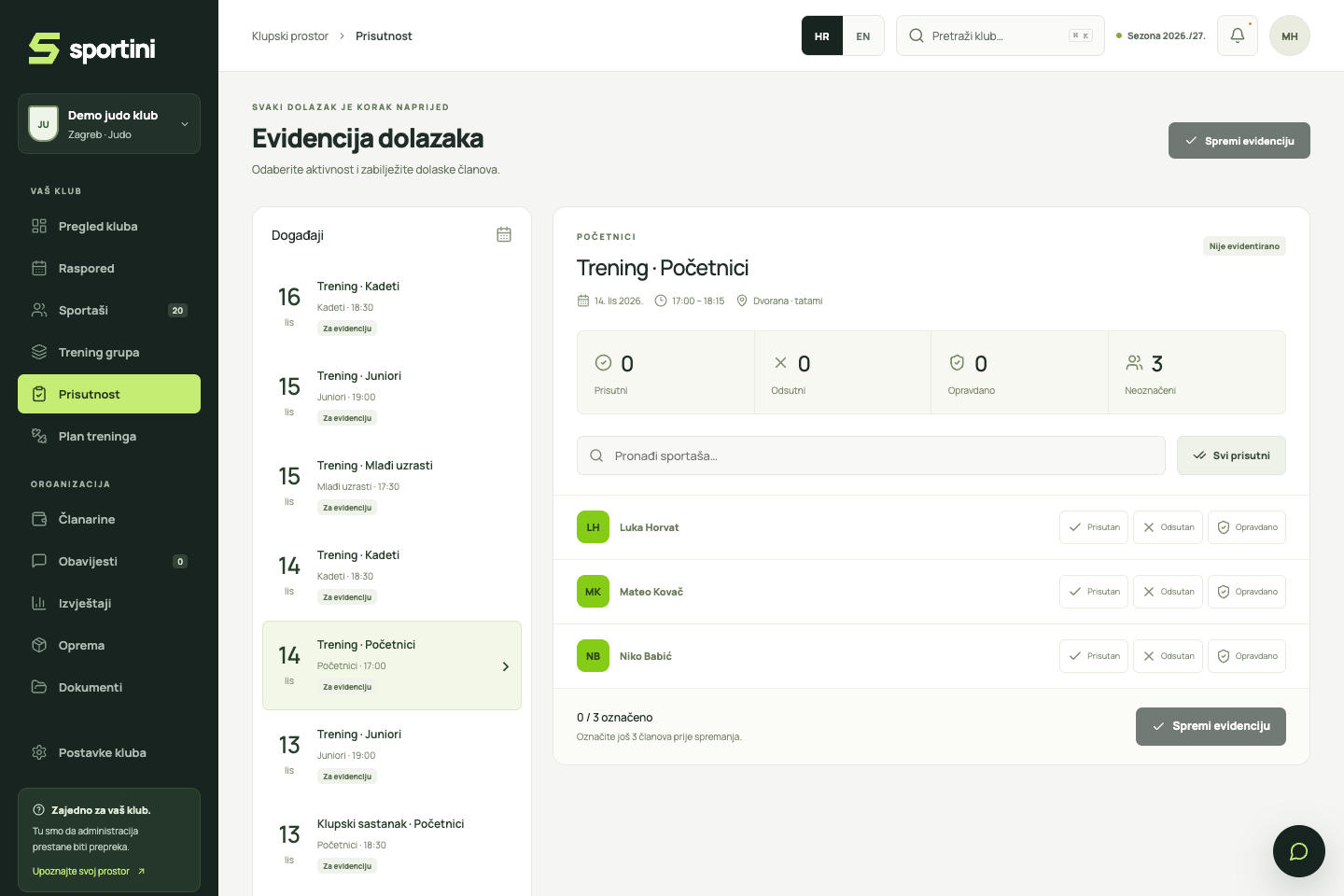
From the group list to saved attendance.
Choose a scheduled session
Select your group’s session in attendance records. The session shows its date, time and location, and the athlete list follows the selected group.
Mark each athlete’s attendance
Choose Present, Absent or Excused for each member. If everyone attended, use All present to mark the group, then adjust individual statuses if needed.
Save the completed records
Mark every member on the list before saving. An unmarked athlete is different from an absent one: Sportini shows how many members still need a status.
Review a previous session
Reopen a session when you need to check its saved attendance. Coaches and administrators access the records according to their permissions, without copying from paper.
An RSVP and recorded attendance serve different purposes.
If the club enables RSVPs, parents can say in advance whether their child will attend. That helps with planning. Coaches record actual attendance separately, so an RSVP does not replace the training attendance record.
Questions from everyday club life.
Can I record attendance on a phone?
Yes. Sportini works in a browser on phones, tablets and computers. Sign in, open attendance records and choose your group’s session.
What does an unmarked member mean?
No status has been selected for that member yet. Before saving, choose whether they are present, absent or excused.
Can coaches see every group in the club?
Access depends on the club role and assigned groups. Coaches work with their assigned groups, while administrators have a broader view according to their permissions.
See how your club could work.
Try the core tools with fictional data.